This is a list of the primary shortcodes available within the system. You can freely customize attributes such as size and color to match your design.
List of Shortcodes
List of SNS Icons
[r_ais_site_social_links ratio="1.2" color="#000"]To display SNS icons, please enter the URLs for each platform under “SNS Link Settings” within the [Advanced Settings] tab of the [R_aisonné] menu in the admin dashboard.
ratio: Icon Scale (Standard: 1.0)
color: Icon Color
Ex)

Site Name Link
[r_ais_site_home_link size="1.8em" color="#000" weight="600"]To display SNS icons, please enter the URL for each platform in the “SNS Link Settings” section under the [Advanced Settings] tab in [R_aisonné] within the admin dashboard.
size: Font Size
color: Text Color
weight: Text Weight (EX: 600)
Exhibition & Participation History
3 Columns (Standard) + Custom Size
[exhibition_list lists='{"1":"Solo", "2":"Group", "3":"Other"}' size="20" list_size="14"]2 Columns + Font Unit (rem) Specification
[exhibition_list lists='{"1":"Solo", "2":"Group"}' grid_class="uk-child-width-1-2@m" size="1.5rem" list_size="0.9rem"]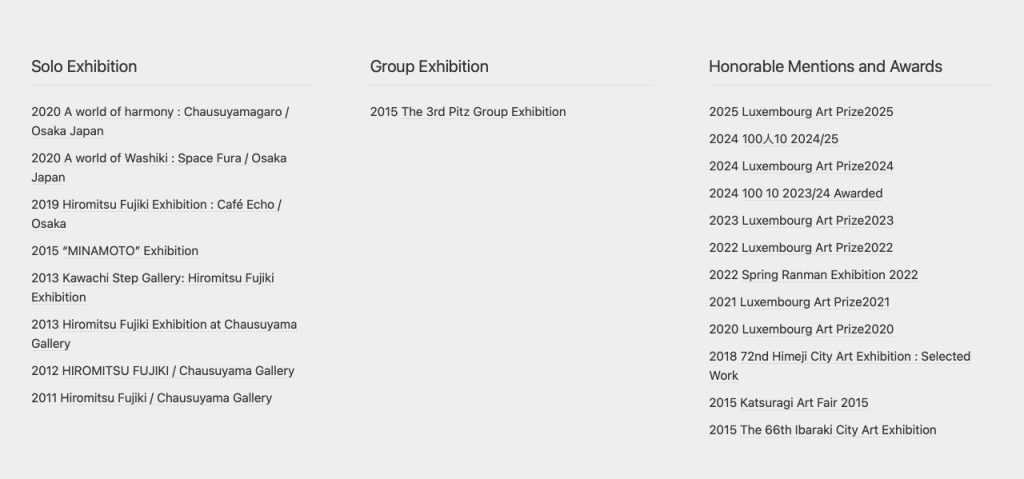
1. Overview
- Content: Displayed as “Year (Date of Publication) + Article Title (Link).”
- Auto-Hide: If there are no posts within a specified tag, the heading will not be displayed.
- Sort Order: All posts are retrieved in descending order (from newest to oldest).
2. Main Attributes (Parameters)
- lists (Required): Specify Tag IDs and headings in JSON format.
- grid_class: Specifies the number of columns (using UIkit classes). Supports up to 6 columns.
- 2 Columns:
uk-child-width-1-2@m - 3 Columns (Standard):
uk-child-width-1-3@m - 4 Columns:
uk-child-width-1-4@m
- 2 Columns:
- size / list_size: Font size for the heading and list items.
- Numeric only: Processed as px (e.g.,
size="18") - With units: Preserves the input value for rem, em, %, etc. (e.g.,
size="1.2rem")
- Numeric only: Processed as px (e.g.,
- Heading: Supports custom text input.
3. Multi-language Notes (BOGO)
- Translating Headings: When using BOGO, you can manually translate the heading text (e.g., “Solo”, “個展”) within the post editor for each specific language.
- Fixed Tag IDs: Regardless of the language, you must always use the Original Language’s Tag ID.
- Assigning different IDs for each language will break the translation functionality.
Contact Form
[r_ais_contact_form]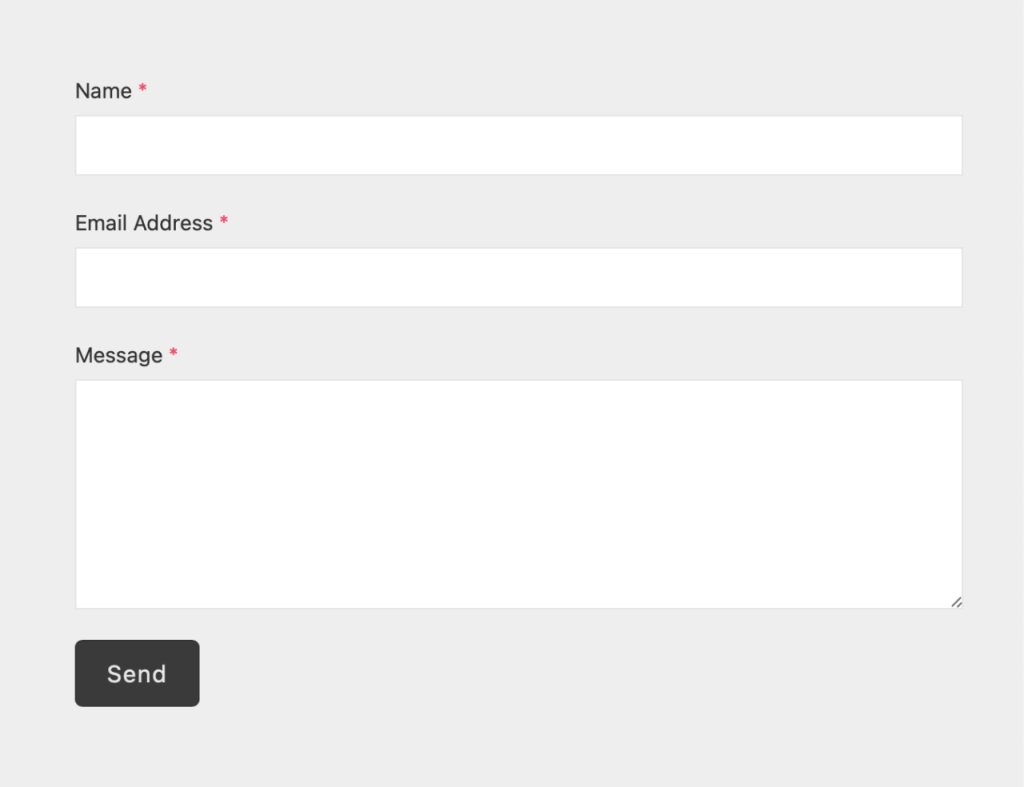
This shortcode allows you to set up a contact form instantly without the need for additional third-party plugins.
1. Seamless User Experience (AJAX)
- Smart Submission without Page Refreshes: Utilizes asynchronous communication via JavaScript (REST API), so the page does not reload upon sending.
- Real-time Status Updates: Progress indicators like “Sending…” and completion/error messages are displayed dynamically on the spot.
- Prevention of Accidental Submissions: The submit button is automatically disabled during communication to prevent duplicate entries.
2. Advanced Security (Stealth Protection)
- Honeypot Implementation: Includes a “trap” input field that is invisible to humans but triggers a block if filled by spam bots.
- User-Friendly Defense: Blocks automated spam effectively and quietly without burdening users with tedious tasks like CAPTCHAs.
- Nonce Authentication: Uses standard WordPress security tokens (Nonces) to prevent unauthorized external requests and spoofing.
3. Clean Design that Fits Your Site
- Multi-Device Compatibility: Input fields align perfectly across PCs and smartphones, ensuring smooth operation on any device.
- Intuitive Interface: Clear associations between labels and input boxes provide a standard, user-friendly experience for all visitors.